# Best practices for integrating Oobeya with Azure DevOps Scrum Boards

## Introduction

This guide outlines the best practices for integrating **Oobeya** with **Azure DevOps Scrum Boards** to enhance your project management through effective analytics. It focuses on managing processes, work item types, and state mappings to ensure accurate data analysis within Oobeya.

***

## Step-by-Step Guide

### 1. Access Organization Settings in Azure DevOps

* Log in to your Azure DevOps account.
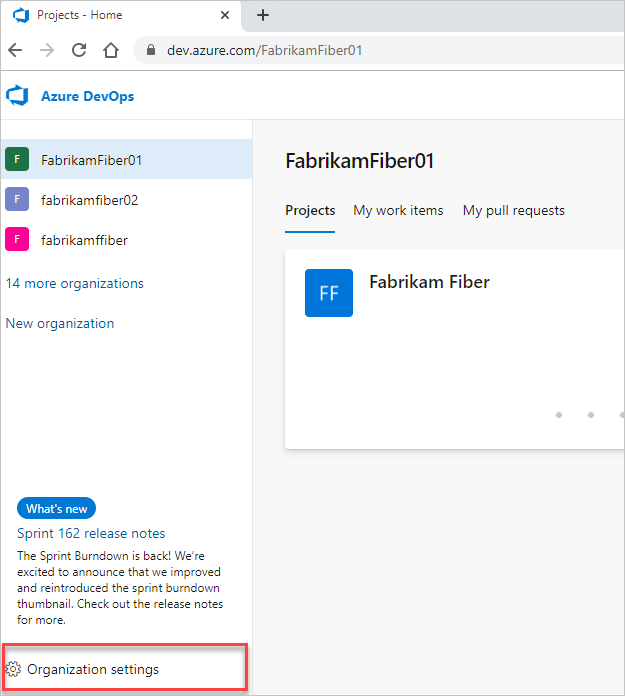
* Click **"Organization settings"** at the bottom left corner of the Azure DevOps portal.

<figure><img src="/files/8bgQrgd2jymTNgRd3V4E" alt=""><figcaption><p>Open Organization settings - Azure DevOps</p></figcaption></figure>

### 2. Navigate to the Process Section

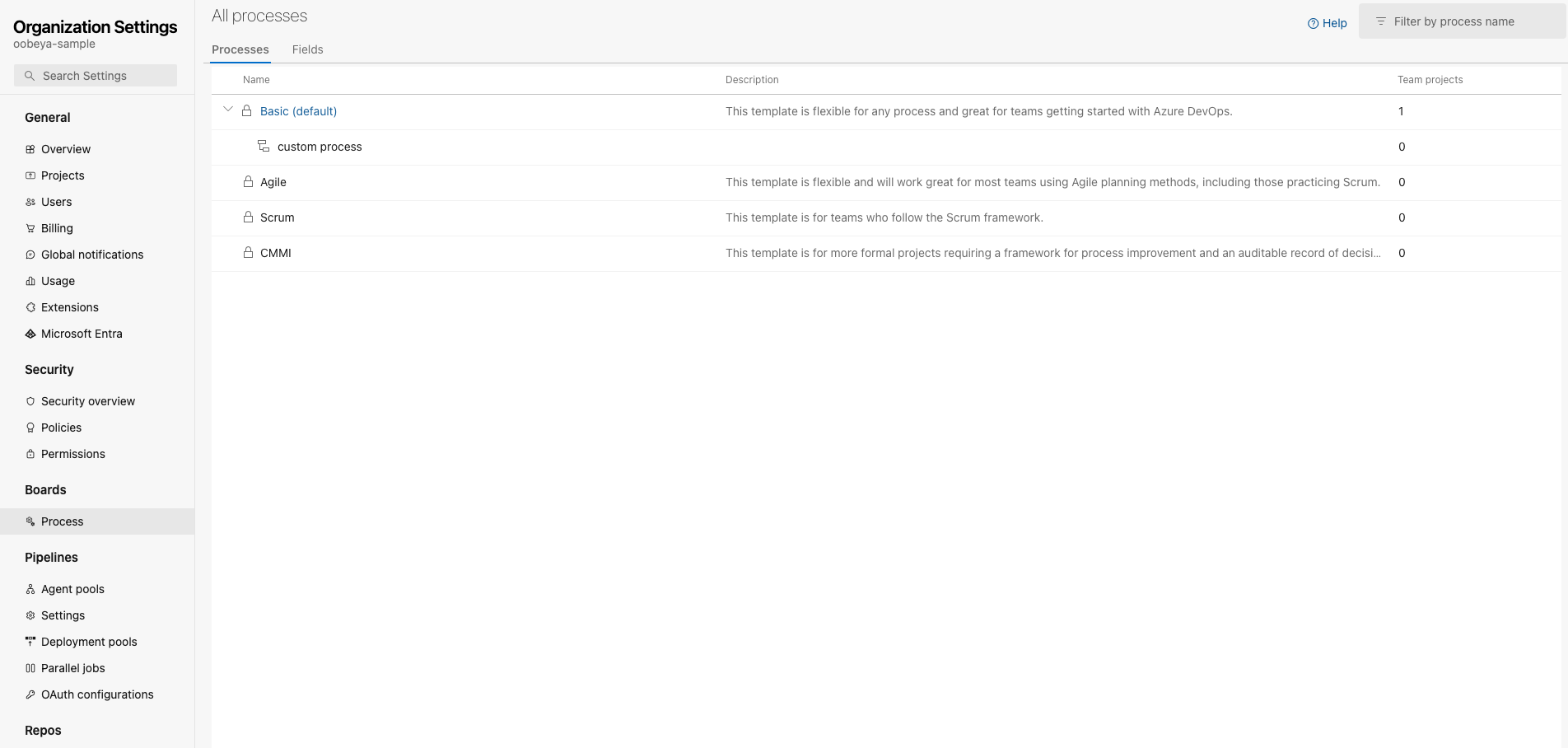
* From the left-hand menu in the Organization settings, select **"Process."**
* A list of all available processes will be displayed.
* You can view how many projects are using each process.

<figure><img src="/files/qcWY45CtSnyH05j8WX1E" alt=""><figcaption><p>Open the Process tab - Azure DevOps</p></figcaption></figure>

### 3. View Projects Associated with a Process

* Click on the process you want to examine.
* Navigate to the **"Projects"** tab within the process details.
* Here, you can see all the projects that are using this process.

<figure><img src="/files/kVHOEnDhChhvzSLQ1ZGb" alt=""><figcaption><p>View all projects that are using the selected process</p></figcaption></figure>

### 4. View Work Item Types Used in Boards

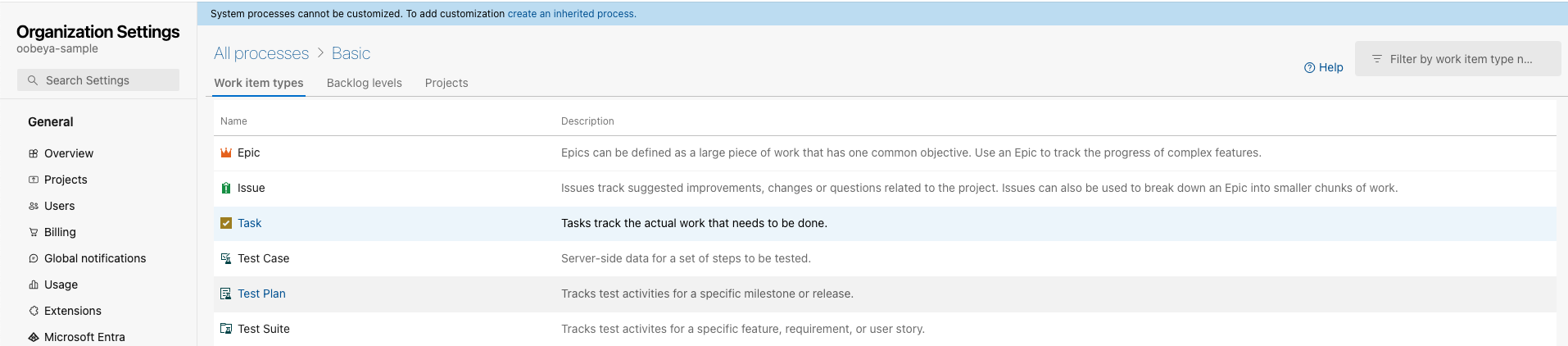
* Within the process details, click on **"Work Item Types."**
* A list of all work item types used in the boards (e.g., Epics, Features, User Stories, Tasks) will be displayed.

<figure><img src="/files/9wePmaG6SAGGIA20yQN6" alt=""><figcaption><p>Work item types - Azure DevOps Boards</p></figcaption></figure>

### 5. Review and Customize States for Each Work Item Type

* Click on a work item type to view its details.
* Under the **"States"** section, you can see all the states associated with that work item type.
* **Note:** Each work item type can have different states.

<figure><img src="/files/qgjSz8NtEM1umxDWWoXE" alt=""><figcaption><p>States for a work item - Azure DevOps Boards</p></figcaption></figure>

{% hint style="info" %}
Azure DevOps does not allow adding new states to the default processes.

**How to Create a Custom Process to Add New States**

* To add new states, you need to create a **custom process**.
* Follow the Azure DevOps documentation: [Change the process](https://learn.microsoft.com/en-us/azure/devops/organizations/settings/work/manage-process?view=azure-devops#change-the-process-used-by-a-project)
  {% endhint %}

### 6. Map States in Oobeya During AgileSpace Analysis Creation

* Log in to your **Oobeya** account.
* Start to create a new [**AgileSpace analysis**](/project-analytics/project-analytics/starting-an-agile-board-analysis.md).
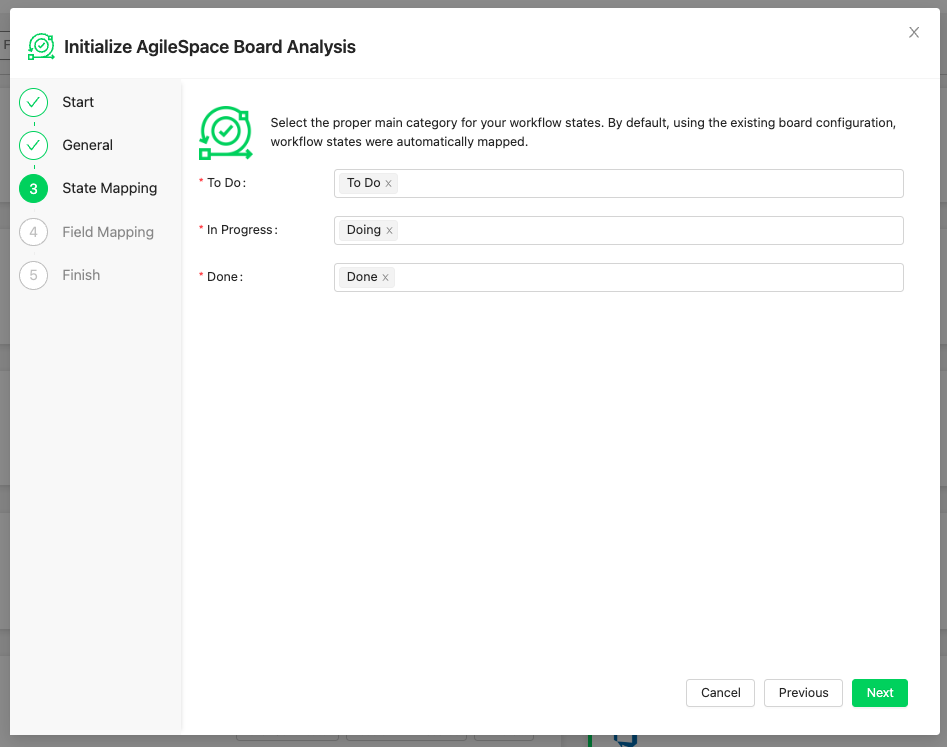
* During the setup process, you will reach the **State Mapping** step.
* Map each state from Azure DevOps to the corresponding category in Oobeya.

{% hint style="info" %}
This is crucial because all widgets and metrics in Oobeya are generated based on these mapped states.
{% endhint %}

<figure><img src="/files/3mdyEieLz30QpkxLv4B5" alt=""><figcaption><p>AgileSpace state mapping - Oobeya</p></figcaption></figure>

***

## Conclusion

By carefully managing processes and state mappings between Azure DevOps and Oobeya, you can **enhance** the **accuracy of your analytics** and **gain** **deeper insights** into your Azure Boards Scrum projects. Following these best practices ensures that Oobeya's metrics and widgets provide valuable information to improve project management and team performance.


---

# Agent Instructions: Querying This Documentation

If you need additional information that is not directly available in this page, you can query the documentation dynamically by asking a question.

Perform an HTTP GET request on the current page URL with the `ask` query parameter:

```
GET https://docs.oobeya.io/project-analytics/best-practices-for-integrating-oobeya-with-azure-devops-scrum-boards.md?ask=<question>
```

The question should be specific, self-contained, and written in natural language.
The response will contain a direct answer to the question and relevant excerpts and sources from the documentation.

Use this mechanism when the answer is not explicitly present in the current page, you need clarification or additional context, or you want to retrieve related documentation sections.