
Generating a new user token
Generating a new user token

SonarQube Server Integration

Adding a new SonarQube data source
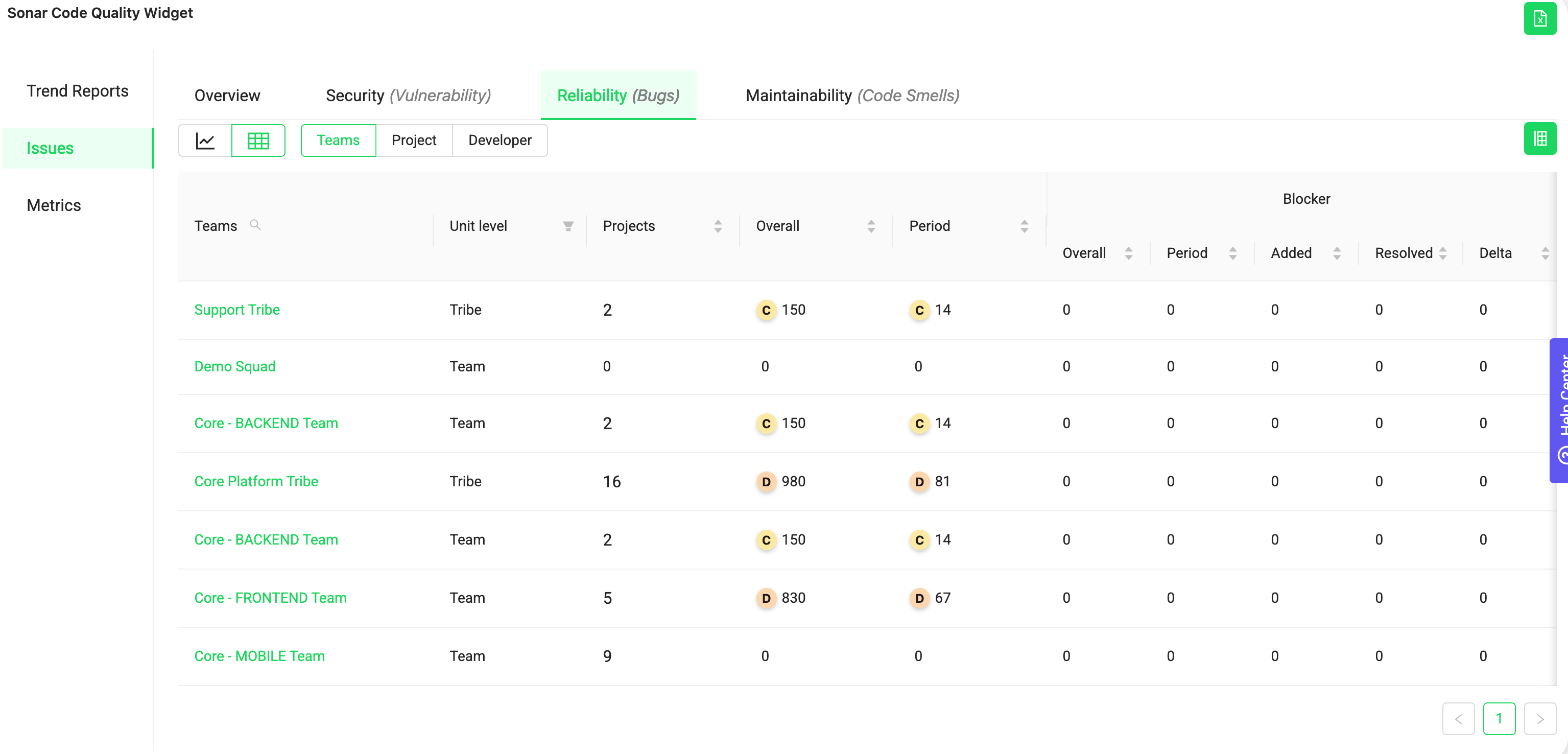
Improved visibility and ownership for better code quality and security
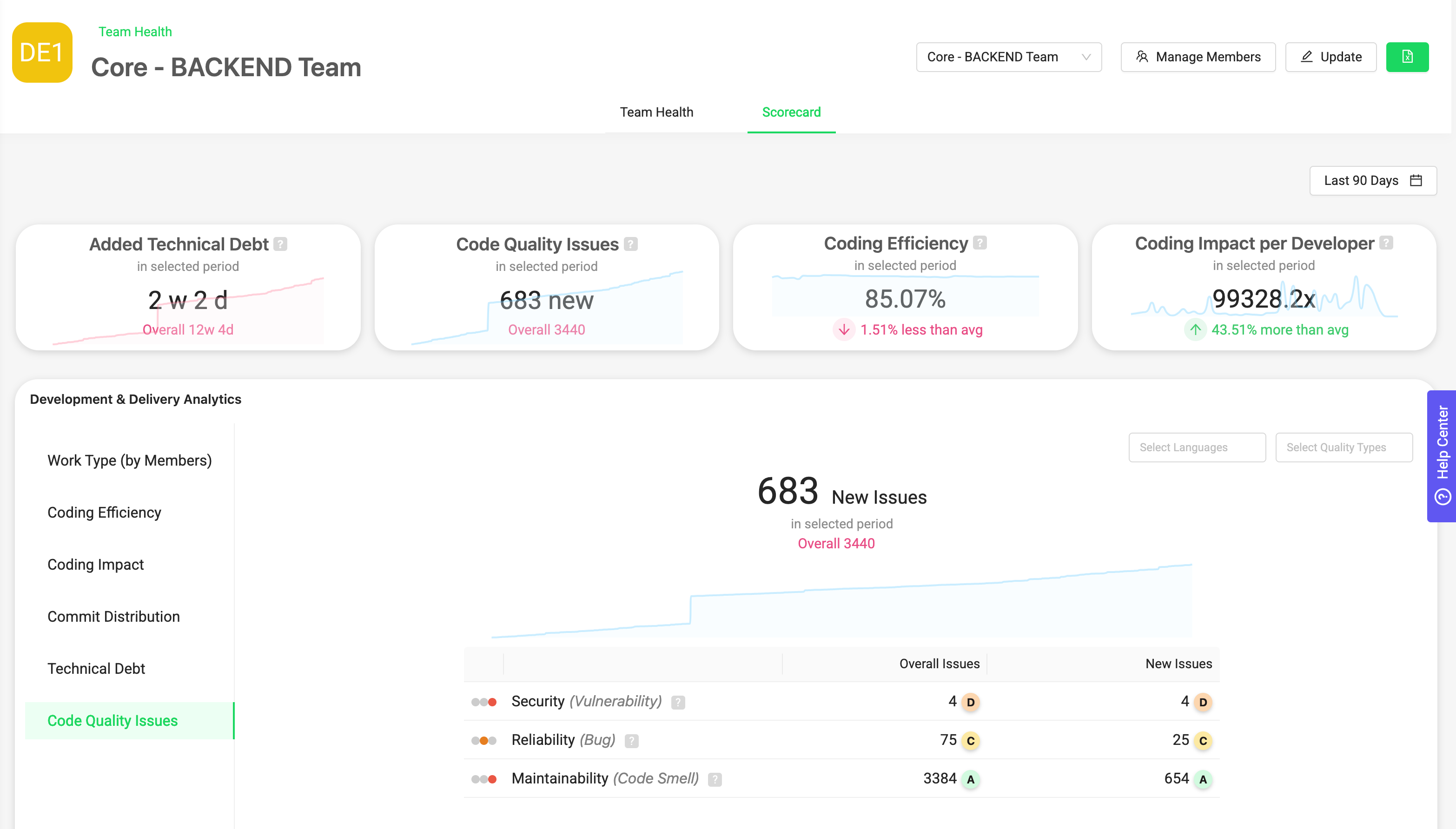
Sonarqube metrics in Team Scorecards
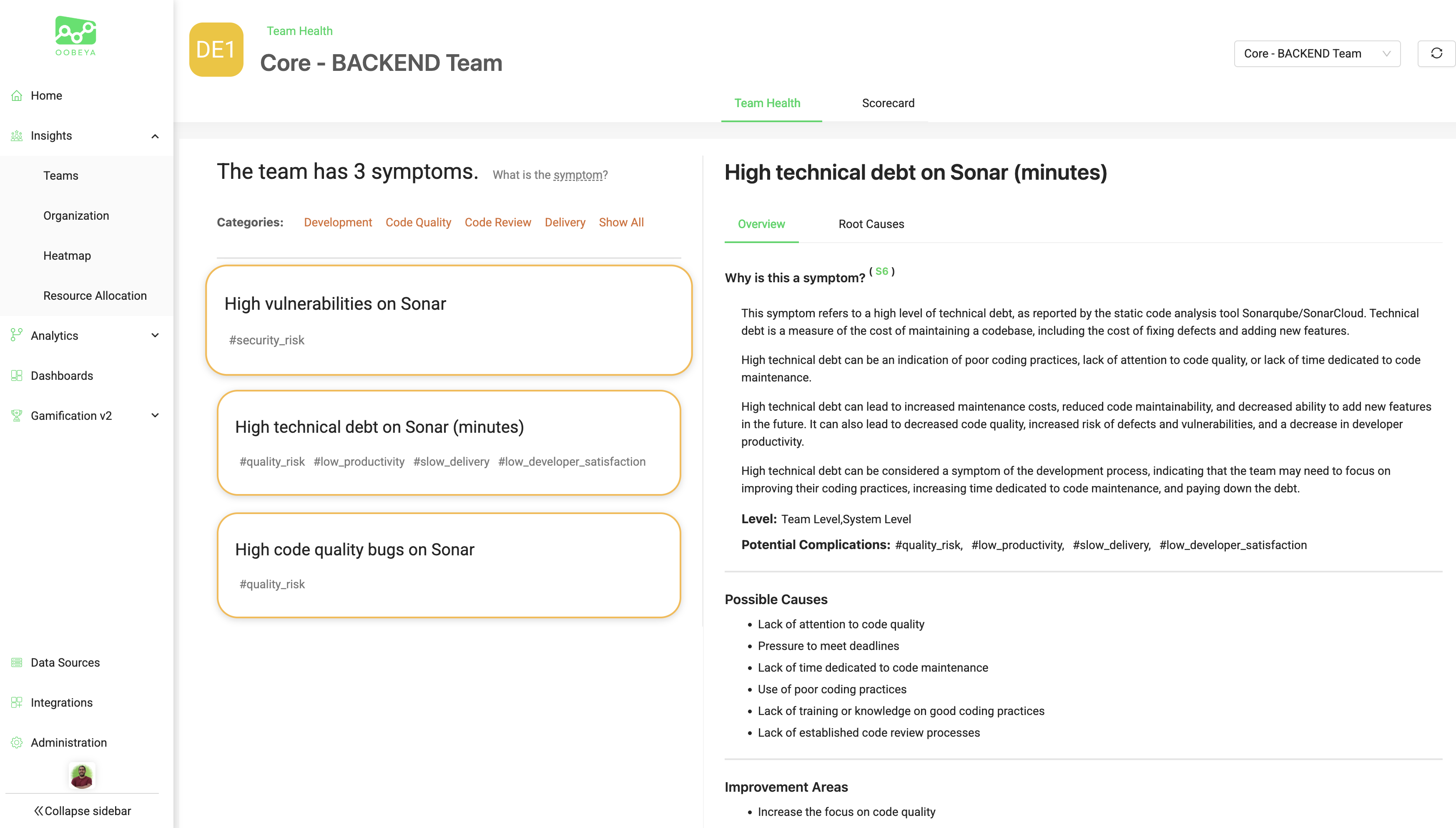
Code Quality Insights: Auto-detected Symptoms
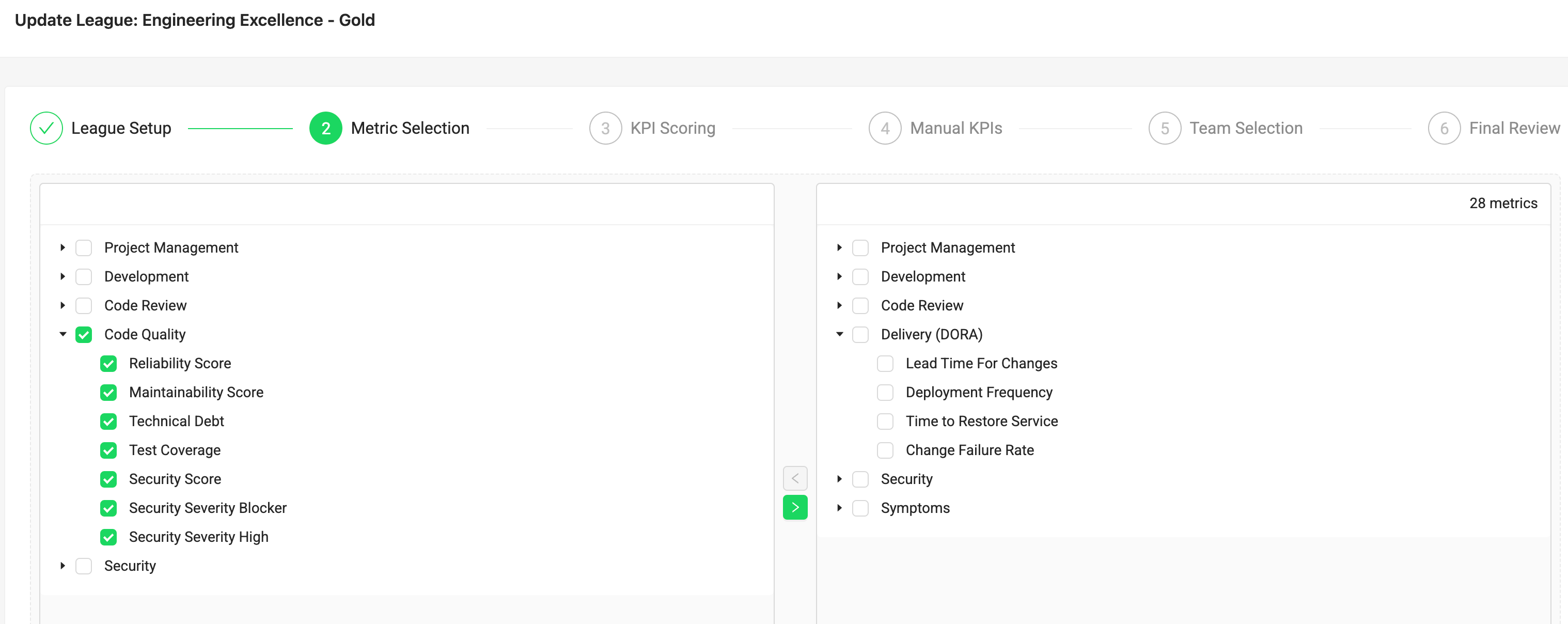
Leveraging gamification to improve code quality
| Issue | Possible Cause | Solution |
|---|---|---|
| 401 Unauthorized | Invalid or expired token | Regenerate a valid User Token and update the Data Source. |
| Connection Timeout | Firewall or proxy blocking requests | Ensure outbound access to your SonarQube server from Oobeya’s network. |
| No Projects Found | Token lacks permissions | Verify the token user has project “Browse” or “Admin” permissions. |
| SSL Error | Invalid SSL certificate | Use a valid SSL certificate or enable trusted certificate configuration. |
| Data Outdated | Sync delay or rate limit | Trigger a manual re-sync or check your SonarQube server performance. |
| Step | Action | Result |
|---|---|---|
| 1 | Generate a User Token in SonarQube | Secure authentication |
| 2 | Install the SonarQube Server Add-on in Oobeya | Enable integration |
| 3 | Add a Data Source | Connect Oobeya to your SonarQube server |
| 4 | View Dashboards and Scorecards | Monitor real-time code quality |